Preparing your download
Please wait a few seconds while we get your file ready.
- 1Preparing
- 2Verifying
- 3Download
Getting your file ready
- Validating resourceWaiting
- Preparing downloadWaiting
- Finalizing downloadWaiting
5 seconds remaining
Download your file
Click the button below. The download opens in a new tab, so this page stays open.
About Text Carousel Builder v1.1 Free Download
Free After Effects Script – Text Carousel Builder
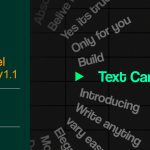
Text Carousel Builder is a useful script for Adobe After Effects that helps video editors create dynamic text carousel animations for motion graphics, promotional videos, social media content, and creative projects. It makes it easier to design animated typography with multiple text elements moving through a sequence, creating a clean and engaging visual presentation.
Whether you are creating YouTube videos, Instagram Reels, promotional advertisements, title animations, or modern motion graphics, a text carousel can help make your content more attractive and professional.
Who Can Use Text Carousel Builder?
This script may be useful for motion graphics designers, video editors, content creators, YouTubers, and anyone who wants to create eye-catching text animations in Adobe After Effects.
How to Download Text Carousel Builder
- Click the download button provided on this page.
- Download the available script files.
- Extract the ZIP archive if the download is compressed.
- Read the included instructions before installation.
- Open Adobe After Effects and follow the appropriate installation method for the script format.
Download the free Text Carousel Builder script for After Effects and explore new ways to create engaging animated typography for your next video project.
Key features
- Key Features:
- 3 Layout Modes: Instantly generate a Circle, Linear Horizontal, or Linear Vertical carousel.
- Interactive Marker: As the text passes the custom marker, it automatically scales up, pops out, and changes color.
- Custom Marker Shapes: Choose between a Triangle, Circle, Dash, or Arrow directly in the UI.
- 100% Customizable: Use the "Wheel Controller" to adjust rotation speed, snap distance, text spacing, and colors without ever touching a line of code.
- Flip Side Toggle: Push your text to the left/right or up/down depending on your specific design needs.
- Clean Up Button: Made a mistake or want to try a different layout? Hit "Clean Up" to instantly erase the rig and start fresh.
Requirements
- After effects CC+
How to install
Windows
- How to Install & Use:
- Download the .jsx file attached to this post.
- In After Effects, go to File > Scripts > Run Script File... and select the downloaded file.
- Choose your settings in the UI panel and click Build Carousel.
- Click the generated Wheel Controller layer and use the Effect Controls panel to tweak the physics, speed, and colors!
macOS
- How to Install & Use:
- Download the .jsx file attached to this post.
- In After Effects, go to File > Scripts > Run Script File... and select the downloaded file.
- Choose your settings in the UI panel and click Build Carousel.
- Click the generated Wheel Controller layer and use the Effect Controls panel to tweak the physics, speed, and colors!
Credits
| Creator Name | sheikh sohel |
|---|---|
| License | Free for commercial use |
| Website | sheikhsohel.com |
File details
- CategoryAfter Effects Plugins
- Format.zip
- File size14.2 KB
- Works withAfter effects CC+
- LicenseFree for commercial use
- PriceFree
Before you install
- Scan the file with your antivirus before opening it.
- Check the license before using it in client work.
- Back up your project before installing plugins or scripts.